Updated
The best memory for Antigravity in 2026
The best memory for Antigravity is Glen if several people, or several agents, work on the same codebase, and Antigravity's own rules with /learn if you work alone and what has to persist is a set of conventions. Glen's Antigravity plugin records every completed turn into one memory your org shares and adds the team's memory to the start of each conversation; after that, the agent runs glen search when a task touches earlier work. Recall is not added before every prompt in Antigravity, so judge it on what gets recorded and what a search can reach.
Antigravity's built-in layer is rules. It loads AGENTS.md and GEMINI.md from the workspace folder and each parent up to the repository root, .agents/rules/*.md, and global files under ~/.gemini/, with a 24,000-byte cap per file. Google's /learn documentation states that "Agents don't remember conversations": anything that should carry over has to be written into a rule or a skill, and /learn drafts that for your approval. Knowledge items are still named in the docs as contents of Antigravity's app data directory, with no page explaining how they are created. We compared six options on what each records from Antigravity, when recall reaches the agent, and who else can read it.
Short answer
- Several engineers, or several agents, on one codebase
- Glen
- Solo, conventions that rarely change, nothing to install
- Antigravity rules and /learn
- Solo, free capture on your own machine in the agy CLI
- claude-mem
- The same memory store in Antigravity and in your own product
- Mem0
- Verbatim local history with no API key
- MemPalace
Antigravity memory tools at a glance
| # | Tool | Connects via | Captures | Team sharing | Price |
|---|---|---|---|---|---|
| 01 |  GlenOur pick | Plugin plus a hooks entry, installed by the glen CLI | Every turn, automatically; recall at conversation start, then on demand | Whole orgOrg-wide, filtered per user at recall | Free for 15,000 memories, no card |
| 02 |  Antigravity rules, /learn and Knowledge Itemsantigravity.google | Built in | None automatic; /learn drafts rules and skills you approve | Repo filesWorkspace rules through git; everything else per machine | Included with Antigravity |
| 03 |  claude-memcmem.ai | Installer adds hooks, an MCP server and a rules file | Prompts, tool results, replies and session summaries, automatically | One personLocal per machine; TeamBrain is a pilot | Free locally; CMEM Pro $30/mo |
| 04 |  Mem0mem0.ai | Plugin (local MCP server, hooks, six skills) | Automatic through hooks; recall through search_memories | Shared spacesPer Mem0 API key; search scoped to repo, directory or your own memories | Free tier; paid is usage-based or custom |
| 05 |  MemPalacemempalaceofficial.com | Plugin (MCP server, two skills, a rule, two hooks) | Background mining of the transcript, every 15th Stop by default | Shared spacesLocal, or a shared hub several agents connect to | Free, runs locally |
| 06 |  Piecespieces.app | Local MCP server (PiecesOS) | Activity across your apps and websites, automatically, outside the agent | One personPer user, on-device | Pro $18.99/user/mo, no free plan |
How we ranked them
- Installs where every Antigravity client looks. The IDE, the desktop app and the agy CLI all read hooks.json and plugins/ under ~/.gemini/config/. A tool installed there loads in all three; we note the tools whose docs cover only the CLI or only the IDE.
- Records without being asked. Antigravity fires a Stop hook each time the agent finishes and passes the path to the conversation transcript. A tool on that hook captures every turn. A tool that is only an MCP server saves what the agent decides to save.
- When recall arrives. SessionStart and PreInvocation hooks can inject steps, and injected steps stay in the conversation, so Google's hook docs advise against repeating the same text every turn. Most tools here inject once and search on demand after that. We say which does what.
- Reaches past one machine. Antigravity keeps conversations in a separate app data directory for each client, all under ~/.gemini/ on one laptop. Can a teammate's agent, in Antigravity or another tool, read what your session worked out?
- Setup and price. The install command or config, what else has to be running, and the first paid tier from each vendor's pricing page as of November 2026.
The 6 best memory tools for Antigravity
Glen
Our pickBest for: Teams where several people, or several agents, work in the same codebase.
tryglen.com - Connects to Antigravity
- Plugin plus a hooks entry, installed by the glen CLI
- Captures
- Every turn, automatically; recall at conversation start, then on demand
- Shared with your team
- Org-wide, filtered per user at recall
Antigravity reads ~/.gemini/config/ from the IDE, the desktop app and the agy CLI, and that is where Glen installs. Running glen install --agent antigravity copies the plugin, a set of skills and one rule, to ~/.gemini/config/plugins/glen/ and adds a glen entry to ~/.gemini/config/hooks.json, leaving your own entries as they are. Three hooks do the recording. SessionStart adds your team's memory to the start of the conversation. Stop records each completed turn: your prompt and the agent's reply, with the repo, branch and agent name. PostToolUse on run_command links each git commit to the conversation that made it, which is how glen code-search takes a line of code back to the session that wrote it.
After the conversation starts, recall is on demand. The bundled rule tells the agent to run glen search when you refer to past team work, and you can ask for a search at any point; nothing is added before each prompt. The search covers one org memory that also holds teammates' Claude Code, Codex and Cursor sessions, public Slack channels, GitHub, tickets, docs and call transcripts from Fireflies, Fathom and Granola. Access control runs per observation at recall, so an agent gets only what its user is cleared to see, and a decision the team later reversed stops surfacing. One practical catch: Antigravity's terminal sandbox runs the agent's commands without network access, so the agent reruns glen search outside it and you approve each run, unless you allow read_url(app.tryglen.com) in Antigravity's permissions. The hooks run outside the sandbox, so recording is unaffected.
Strengths
- Every completed turn is recorded without the agent deciding to save
- One install covers the IDE, the desktop app and the agy CLI
- Search reaches teammates' Claude Code, Codex and Cursor sessions, Slack and GitHub
- glen incognito keeps recall and records nothing; glen off stops both
Limits
- After the conversation starts, recall waits for the agent to run glen search
- A sandboxed glen search needs your approval or a read_url(app.tryglen.com) allow rule
- Hosted only; there is no self-hosted build
Managed service · Free for 15,000 memories, no card
Set up Glen in Antigravity →Antigravity rules, /learn and Knowledge Items
Best for: One developer whose agent needs standing conventions and nothing installed.
antigravity.google - Connects to Antigravity
- Built in
- Captures
- None automatic; /learn drafts rules and skills you approve
- Shared with your team
- Workspace rules through git; everything else per machine
Rules are the part of Antigravity that persists. It reads AGENTS.md or GEMINI.md in the workspace folder and in every parent up to the repository root, plus .agents/rules/*.md, where each file needs YAML frontmatter with a trigger: always_on, model_decision, glob or manual. Global rules live in ~/.gemini/AGENTS.md, ~/.gemini/GEMINI.md and ~/.gemini/config/rules/*.md. Rules add up instead of overriding each other. A single file is truncated past 24,000 bytes, and global plus always-on rules share a 20,000-token budget; over it, the largest files are reduced to a path and description the agent can open. Files in subfolders below the workspace folder are not loaded.
A conversation leaves nothing behind for the next one unless someone writes it down. /learn has the agent review the session, classify the lesson as a rule or a skill, and draft a learning_proposal.md artifact; files change only after you approve. Workflows, the older Markdown files in .agents/workflows/ capped at 12,000 characters, are deprecated, and Google's migration guide moves them to skills. Past conversations stay on disk in a separate app data directory per client (~/.gemini/antigravity, ~/.gemini/antigravity-cli, ~/.gemini/antigravity-ide), and the desktop app can pull one into a prompt with @conversation:. Knowledge items are named in the docs as contents of that directory, and agy's /context panel lists loaded Knowledge files, but no current page says how they get created, so don't plan around them. Only what you commit, AGENTS.md and the .agents/ folder, reaches a teammate.
Strengths
- Free and part of Antigravity
- Reads both AGENTS.md and GEMINI.md, so a repo set up for Codex or Gemini CLI needs no changes
- /learn drafts rules and skills from a session and waits for approval
- Triggers load a rule always, by file glob, or when the model decides it applies
Limits
- Nothing carries over from a conversation unless it becomes a rule or a skill
- Knowledge items have no current documentation
- Conversations stay on one machine, split by client
- Nothing from Slack, GitHub or other agents' sessions
Built into Antigravity · Included with Antigravity
Visit antigravity.google ↗claude-mem
Best for: Solo developers on the agy CLI who want free capture that stays local.
cmem.ai - Connects to Antigravity
- Installer adds hooks, an MCP server and a rules file
- Captures
- Prompts, tool results, replies and session summaries, automatically
- Shared with your team
- Local per machine; TeamBrain is a pilot
Five hooks in ~/.gemini/config/hooks.json are how claude-mem gets into Antigravity. Running npx claude-mem install --ide antigravity registers them: SessionStart injects context from earlier sessions once, PreInvocation records your prompt, PostToolUse captures tool results, PostInvocation records the agent's reply, and Stop writes a summary. The installer also registers an MCP server with search tools and adds a rules file. A local worker turns the raw events into observations, and that step needs a model provider you configure: a Gemini API key, Claude or OpenRouter. Storage is SQLite at ~/.claude-mem/claude-mem.db, with Chroma for semantic search.
The setup guide is written for the Antigravity CLI and names agy 1.2.1; it doesn't cover the IDE or the desktop app. The project is Apache 2.0 with about 120,000 GitHub stars, the most on this page. The engine is free. Cloud Sync, which carries one person's memory between devices, costs $12 a month after a 30-day trial, and hosted generation starts at $30 a month. TeamBrain, the version for sharing between people, is in pilots with no public price.
Strengths
- Free and local by default
- Captures prompts, tool results and replies through hooks
- Injects earlier context once at session start
Limits
- Documented for the agy CLI, not the IDE or the desktop app
- Extraction needs a model provider key you supply or pay for
- Memory stays with one person
Open source (Apache 2.0) · Free locally; CMEM Pro $30/mo
Visit cmem.ai ↗Mem0
Best for: Teams that already use Mem0 as the memory layer in their own product.
mem0.ai - Connects to Antigravity
- Plugin (local MCP server, hooks, six skills)
- Captures
- Automatic through hooks; recall through search_memories
- Shared with your team
- Per Mem0 API key; search scoped to repo, directory or your own memories
Mem0 documents an Antigravity plugin for both the agy CLI and the desktop IDE. You copy it into ~/.gemini/config/plugins/mem0 with npx degit, set MEM0_API_KEY, and need Python 3.10 or newer. The bundle has a local MCP server with one tool, search_memories, six skills (search, status, remember, forget, pause and resume) and three hooks: PreInvocation, PostToolUse and Stop, which reads the finished transcript and flushes it in the background. Recall is explicit. Mem0's docs say the adapter does not inject query-specific memory during PreInvocation, so the agent has to call search_memories or the search skill.
Two workarounds are documented for Antigravity 1.1.25: register the server by hand with agy mcp add if it doesn't load, and start agy with MEM0_CWD set when hooks arrive without a workspace path. The reason to accept that is the store underneath, a hosted memory API your own product can call. Mem0 is Apache 2.0 with about 69,000 GitHub stars. The free plan allows 10,000 adds and 1,000 retrievals a month for the first 30 days with model calls included, or 50,000 and 10,000 with your own LLM key. Past those limits it is usage billing or a custom contract, and graph memory is on the Custom plan.
Strengths
- Vendor-maintained plugin that captures through hooks
- The same store your own app can call through Mem0's API
- Open source under Apache 2.0
Limits
- No automatic recall; the agent must call search_memories
- Workarounds documented for Antigravity 1.1.25
- Paid use is usage billing or a custom contract, with no listed plan price
Open source (Apache 2.0) · Free tier; paid is usage-based or custom
Visit mem0.ai ↗MemPalace
Best for: Developers who want the full conversation kept locally, with no account or API key.
mempalaceofficial.com - Connects to Antigravity
- Plugin (MCP server, two skills, a rule, two hooks)
- Captures
- Background mining of the transcript, every 15th Stop by default
- Shared with your team
- Local, or a shared hub several agents connect to
Conversations are stored verbatim in MemPalace instead of being summarized, and its Antigravity plugin needs no API key. From a clone of the repo, agy plugin install ./plugins/mempalace (or the install.sh script on macOS and Linux) puts it in ~/.gemini/config/plugins/mempalace/ with an MCP server, two skills, a recall rule and two hooks. The Stop hook counts each time the agent finishes and, on every fifteenth by default, mines the conversation transcript in a background process. The PreInvocation hook acts once per conversation, on the first model call: it injects the output of mempalace wake-up under a 500 ms cap, and if that call is slow the conversation starts without it. The guide is written for the Antigravity IDE.
Everything runs on your machine: Python 3.10 or newer, the mempalace package on your PATH, and ChromaDB as the default store. To share, several agents on one machine can use one palace, and the project documents a hub that more clients connect to. It is MIT-licensed and free, with about 61,000 GitHub stars.
Strengths
- Free and open source (MIT), with no API key
- Keeps the full conversation, not a summary
- Injects memory on the first model call of a conversation
Limits
- Mining triggers on every fifteenth Stop in a conversation unless you lower MEMPAL_SAVE_INTERVAL
- The wake-up injection uses ephemeralMessage, which Antigravity's hook docs mark as deprecated
- You install and maintain the Python tooling yourself
Open source (MIT) · Free, runs locally
Visit mempalaceofficial.com ↗Pieces
Best for: Individuals who want recall of their own work across apps, kept on their machine.
pieces.app - Connects to Antigravity
- Local MCP server (PiecesOS)
- Captures
- Activity across your apps and websites, automatically, outside the agent
- Shared with your team
- Per user, on-device
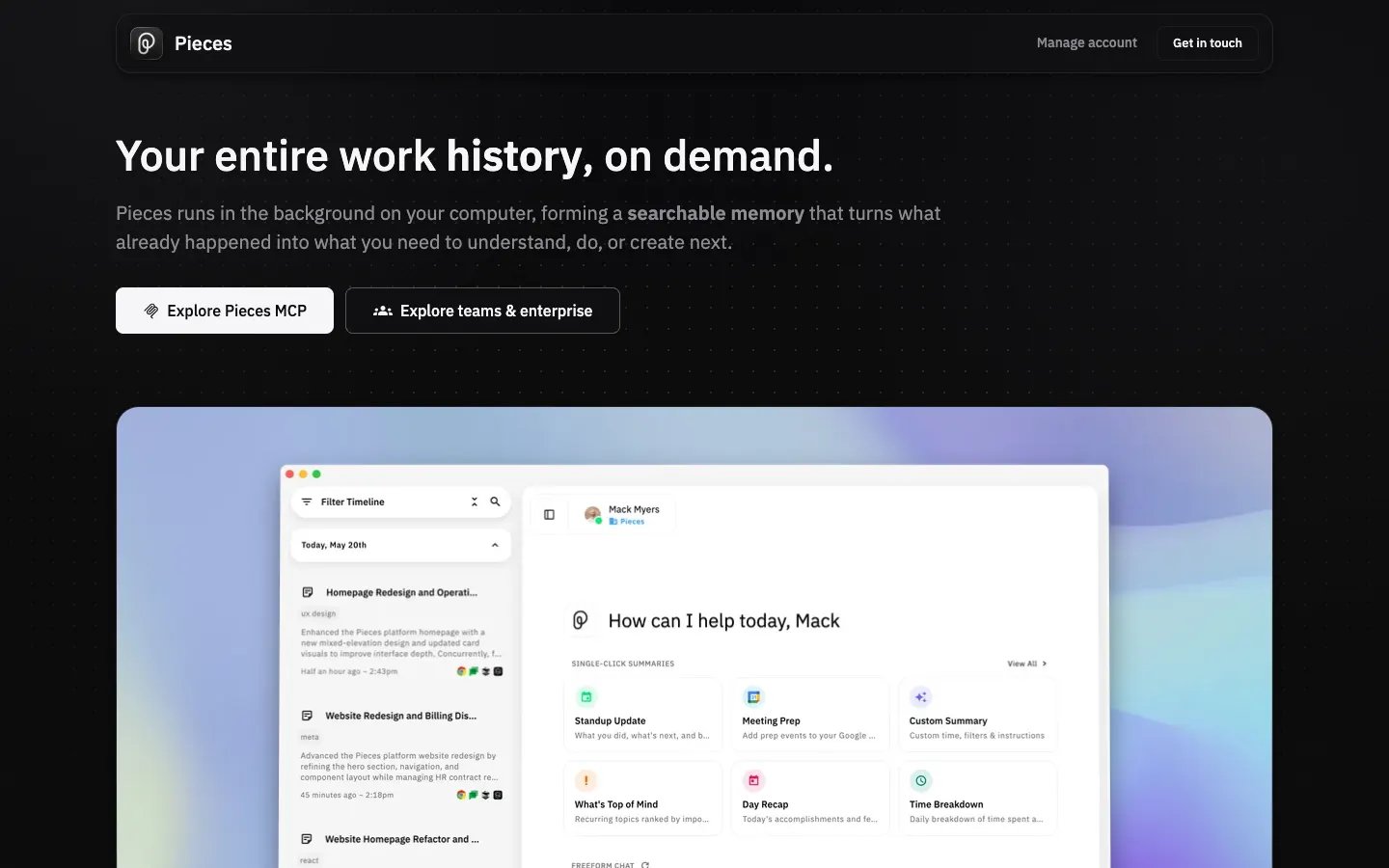
Pieces records from outside the agent. PiecesOS runs on your machine and captures activity across your apps and websites into a long-term memory stored on-device; Antigravity reads it through a local MCP server and the ask_pieces_ltm tool. Pieces has a setup page for Antigravity: in Pieces Desktop, open Settings, then MCP, and click Connect next to Antigravity, or add the local endpoint to Antigravity's MCP configuration yourself (http://localhost:39300/model_context_protocol/2025-03-26/mcp, though the port can differ). PiecesOS must be running with the Long-Term Memory engine enabled.
That makes it a different kind of memory from the plugins above. Nothing hooks into Antigravity, so what comes back is what PiecesOS captured, including work in other apps that no rule file or transcript holds, and the agent gets it only when it calls the tool. The record belongs to one person and isn't shared. Pieces is proprietary; Pro costs $18.99 per user a month, with a 7-day trial that asks for a card and no free plan.
Strengths
- Records without any tool call from the agent
- Covers work outside Antigravity
- Long-term memory is stored on your machine
Limits
- No sharing with teammates
- Doesn't record Antigravity conversations through hooks
- No free plan
Proprietary · Pro $18.99/user/mo, no free plan
Visit pieces.app ↗
Set up Glen in Antigravity
Glen goes into Antigravity as a plugin plus a hooks entry, both written by the glen CLI into ~/.gemini/config/, which the IDE, the desktop app and the agy CLI all read. You need Node.js and a Glen account; the free plan covers 15,000 memories with no card.
1. Install the CLI and the plugin
glen install signs you in, copies the plugin (skills and a rule) to ~/.gemini/config/plugins/glen/ and adds a glen entry to ~/.gemini/config/hooks.json. Entries you already have in that file are kept.
bashnpm install -g @tryglen/cli glen install --agent antigravity2. Start a new conversation
Open a new conversation in the IDE, the desktop app or agy. SessionStart adds your team's memory to the start of it, and each completed turn is recorded from here on. To confirm the install, check that ~/.gemini/config/hooks.json has a glen entry; in agy, /hooks lists the hooks that are loaded.
text/hooks3. Ask about past work
When you refer to earlier team work, the bundled rule has the agent run glen search. Antigravity's terminal sandbox has no network access, so the agent reruns the command outside it and asks you to approve; add read_url(app.tryglen.com) to your allowed rules to skip that prompt. You can also search from your own terminal.
bashglen search "why the export job retries three times"
Which one should you pick?
Start from who needs what your Antigravity conversation worked out. If the answer is only you, on one machine, keep AGENTS.md current, run /learn after a session where you had to correct the agent, and add claude-mem or MemPalace if you want capture that doesn't depend on writing a rule. Both are free and local. Mem0 fits when your own product already stores memory there, and Pieces when the context you keep losing sits in other apps.
None of that reaches a teammate, or your own Claude Code or Codex session on the same repo. Antigravity keeps conversations in per-client folders under ~/.gemini/ and shares only what you commit to the repo. Glen's hooks record every completed turn from the IDE, the desktop app and agy into one org memory with the team's other agents, Slack and GitHub, filtered to what each person is cleared to see and with reversed decisions left out. In Antigravity that memory arrives at the start of a conversation and then through glen search, not before every prompt, which is why the plugin ships a rule telling the agent when to search.
FAQ
- Does Antigravity have memory?
- It has persistent rules, not a memory of past conversations. Antigravity loads AGENTS.md and GEMINI.md into every conversation and applies .agents/rules/*.md by trigger, and Google's /learn documentation says agents don't remember conversations unless a lesson is written into a rule or a skill. Running /learn drafts that rule or skill from the session and applies it after you approve.
- Where does Antigravity store rules and conversations?
- Workspace customizations live in AGENTS.md, GEMINI.md and the .agents/ folder (rules, skills, hooks.json, mcp_config.json). Personal ones live in ~/.gemini/AGENTS.md, ~/.gemini/GEMINI.md and ~/.gemini/config/. Conversation transcripts go to an app data directory per client: ~/.gemini/antigravity for the desktop app, ~/.gemini/antigravity-cli for agy and ~/.gemini/antigravity-ide for the IDE, each under brain/<conversationId>/.
- What are Knowledge Items in Antigravity?
- Antigravity's November 2025 launch notes listed knowledge management as a feature, and a January 2026 IDE release added settings to turn off conversation history and knowledge. Google's current docs have no page for it. They mention knowledge items only as contents of the app data directory (~/.gemini/antigravity/ for the app, ~/.gemini/antigravity-ide/ for the IDE), and agy's /context panel lists loaded Knowledge files. Rules and skills are the documented way to make something persist.
- Does Antigravity read AGENTS.md or GEMINI.md?
- Both, in the workspace folder and every parent up to the repository root, and neither needs frontmatter. If you are coming from Gemini CLI, Google's migration guide says rule files need no changes and ~/.gemini/GEMINI.md still applies. MCP servers move out of ~/.gemini/settings.json into ~/.gemini/config/mcp_config.json, with serverUrl replacing httpUrl.
- Does Glen record my Antigravity sessions?
- Yes. After glen install --agent antigravity, a Stop hook records each completed turn (your prompt and the agent's reply, plus repo, branch and agent name) from the IDE, the desktop app and the agy CLI. Recall works differently from recording: team memory is added once at the start of a conversation, and after that the agent runs glen search when you refer to past work. Run glen incognito to keep recall and record nothing.
- Is there a memory plugin for Antigravity?
- Several. Glen, Mem0 and MemPalace each ship an Antigravity plugin that lives in ~/.gemini/config/plugins/, and claude-mem's installer adds hooks to ~/.gemini/config/hooks.json for the agy CLI. They differ in when recall arrives: Glen and claude-mem inject at session start, MemPalace on the first model call, and Mem0 only when the agent calls its search tool.