Updated
The best memory for Cline in 2026
The best memory for Cline is Glen if you're on a team whose other agents and tools already record into it, and Cline's own rules plus a Memory Bank if you work alone and want everything kept as plain files in the repo. Glen connects to Cline as a remote MCP server over Streamable HTTP with OAuth: a Cline agent can search what teammates' Claude Code, Codex and Cursor sessions recorded, along with Slack, GitHub, tickets, docs and calls, but Cline tasks are not recorded into Glen, because there is no Glen plugin for Cline.
Cline keeps no memory of past tasks on its own. It loads rules: Markdown files in .clinerules/ or .cline/rules/, plus AGENTS.md, .cursorrules and .windsurfrules when they exist. The Memory Bank in Cline's docs is a prompt you paste into a rules file, telling Cline to read and maintain six Markdown files under memory-bank/, so it is a documentation habit and not a store. Checkpoints roll code back and task history lets you resume a task, and neither feeds a new one. We compared six options on what they record from Cline, what a Cline agent can recall through them, and who else can read it.
Short answer
- A team whose memory already comes from Claude Code, Codex, Cursor, Slack and GitHub
- Glen
- Solo, project context kept as Markdown in the repo
- Cline rules + Memory Bank
- Solo, free and local, from Cline's MCP Marketplace
- Knowledge Graph Memory
- Recording that doesn't wait for Cline to call a tool
- Pieces
- One hosted memory across Cline, Claude Desktop, Cursor and your own app
- Supermemory
Cline memory tools at a glance
| # | Tool | Connects via | Captures | Team sharing | Price |
|---|---|---|---|---|---|
| 01 |  GlenOur pick | Remote MCP (Streamable HTTP, OAuth) | Cline tasks not recorded; reads team memory | Whole orgOrg-wide, filtered per user at recall | Free for 15,000 memories, no card |
| 02 |  Cline rules + Memory Bankcline.bot | Built in | Rules by hand; Memory Bank files when the prompt tells Cline to update them | Repo filesWorkspace rules and memory-bank/ through git; global rules per user | Included with Cline |
| 03 |  Knowledge Graph Memory (MCP reference server)github.com | Local MCP server (stdio), listed in Cline's MCP Marketplace | When the agent calls a tool | One personOne JSONL file on your machine | Free, runs locally |
| 04 |  Supermemorysupermemory.ai | Remote MCP (OAuth), listed in Cline's MCP Marketplace | When the agent calls add_memory | Shared spacesSpaces that teammates can be given access to | Free with $5 credit; Pro $19/mo |
| 05 |  Piecespieces.app | Local MCP server from PiecesOS (SSE) | Screen, clipboard and audio, automatically, outside Cline | One personPer user, on-device | Pro $18.99/user/mo, no free plan |
| 06 |  Cogneecognee.ai | MCP server you run (Docker over SSE, or stdio); hosted MCP with OAuth on Cognee Cloud | When the agent calls remember | Shared spacesEveryone connected to the same Cognee server or Cloud workspace | Free for 100M tokens; $0.10 per 1M after |
How we ranked them
- Records Cline tasks. An MCP server saves only when the agent calls a save tool. Pieces records from outside the editor, the Memory Bank is written when the prompt tells Cline to update it, and Glen does not record Cline at all. We say which applies to each pick.
- What the agent can recall. Some tools give Cline only what Cline itself wrote down. Others reach what teammates' agents recorded and what the team wrote in Slack and GitHub.
- Recall timing. Rules load into every task. MCP tools run when the agent decides to call them, so a rule telling Cline when to search matters. Cline's hooks can add context to a run's first request, but none of the Cline setups these tools document uses one.
- Who else can read it. A file on one laptop, a folder in the repo, a shared space, or an org memory filtered by what each person may see.
- Setup and price. What goes in cline_mcp_settings.json or gets installed, and the first paid tier, from each vendor's pricing page as of November 2026.
The 6 best memory tools for Cline
Glen
Our pickBest for: Cline users on teams whose other agents and tools already feed Glen.

tryglen.com - Connects to Cline
- Remote MCP (Streamable HTTP, OAuth)
- Captures
- Cline tasks not recorded; reads team memory
- Shared with your team
- Org-wide, filtered per user at recall
In Cline, Glen is one entry in cline_mcp_settings.json: a remote server at https://mcp.tryglen.com/mcp with type set to streamableHttp, signed in through OAuth in the browser. The agent can then call glen_search, glen_code_search, glen_skill_search and glen_artifact_search when a task needs them. Nothing is added to a prompt before the model reads it, and Cline tasks are not recorded into memory. Glen has no Cline plugin, so the hooks Cline offers go unused here.
What a search reaches is the case for it. Teammates' Claude Code, Codex and Cursor sessions are recorded through Glen's plugins, and public Slack channels, GitHub, tickets, docs and call transcripts from Fireflies, Fathom and Granola come in through integrations one person sets up once. Results are filtered per observation to what the signed-in user is cleared to see, and a decision the team has since reversed stops surfacing. Cline can also run terminal commands, so with the glen CLI installed and signed in, glen search is a second route to the same memory. If you work alone and Cline is your only agent, Glen has little to recall for you; use the rules and the Memory Bank below.
Strengths
- Reads memory recorded from the team's Claude Code, Codex and Cursor sessions
- Slack, GitHub, tickets, docs and calls in the same search
- Each person signs in with OAuth, so the config entry holds no token
- glen_code_search traces a line of code to the session that wrote it
Limits
- Cline tasks are not recorded into memory
- Recall happens only when the agent calls glen_search
- Hosted only; there is no self-hosted build
Managed service · Free for 15,000 memories, no card
Set up Glen in Cline →Cline rules + Memory Bank
Best for: Project context one developer keeps in Markdown, in the repo.
cline.bot - Connects to Cline
- Built in
- Captures
- Rules by hand; Memory Bank files when the prompt tells Cline to update them
- Shared with your team
- Workspace rules and memory-bank/ through git; global rules per user
Rules are the part Cline loads by itself. They are Markdown files in .clinerules/ or .cline/rules/ at the project root, with personal ones in ~/Documents/Cline/Rules or ~/.cline/rules, and workspace rules win when the two conflict. A paths list in YAML frontmatter limits a rule to matching files, each rule has a toggle in the Rules panel, and Cline also picks up AGENTS.md at the project root, ~/.agents/AGENTS.md, .cursorrules and .windsurfrules. The docs give no size limit, only a warning that rules use context tokens. A single .clinerules file, the original form, is no longer in the docs, though Cline's source still reads one as a legacy ruleset.
The Memory Bank is a documented prompt, not a feature you switch on. You paste its instructions into a rules file such as .clinerules/memory-bank.md and tell Cline to initialize it. Cline then keeps six files under memory-bank/ (projectbrief.md, productContext.md, activeContext.md, systemPatterns.md, techContext.md and progress.md), reads them at the start of each task, and rewrites them when you say "update memory bank". Community servers such as memory-bank-mcp, with about 900 GitHub stars, put the same files behind MCP tools.
Checkpoints and task history are not memory. Checkpoints, on by default, commit your files to a shadow Git repository after each tool use so you can restore them. Task history lets you resume or export a past task from ~/.cline/data/ on your machine, and a new task starts without it.
Cline has hooks as well: scripts named after events such as TaskStart, UserPromptSubmit and PreToolUse, in .clinerules/hooks/ for the VS Code extension or .cline/hooks/ for the CLI, and typed plugin hooks in the CLI and SDK. A plugin's beforeRun hook can return appendContext, text the model sees on its first request, so a memory tool could inject recall that way. None of the picks here documents a Cline setup that does.
Strengths
- Free, and plain Markdown you can read and diff
- Reads AGENTS.md, .cursorrules and .windsurfrules next to its own rules
- Conditional rules load only for matching paths
- Committed rules and memory-bank/ files reach teammates through git
Limits
- The Memory Bank is only as current as the last time Cline updated it
- Its prompt has Cline read every Memory Bank file at the start of each task
- Nothing from Slack, GitHub or other agents gets in unless someone writes it down
Built into Cline (Apache 2.0) · Included with Cline
Visit cline.bot ↗Knowledge Graph Memory (MCP reference server)
Best for: Solo developers who want a free local store Cline can write to.
github.com - Connects to Cline
- Local MCP server (stdio), listed in Cline's MCP Marketplace
- Captures
- When the agent calls a tool
- Shared with your team
- One JSONL file on your machine
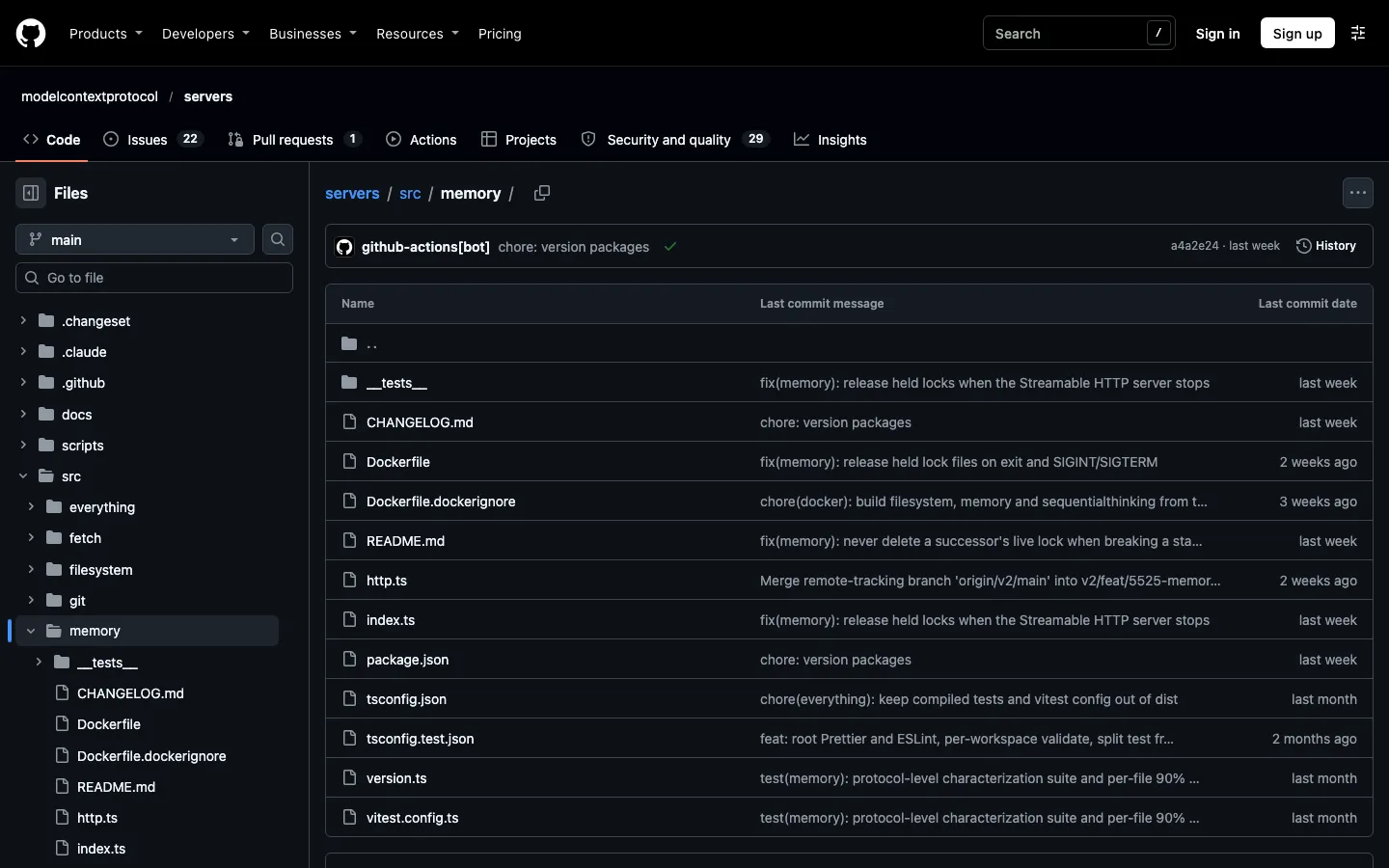
With about 21,000 downloads, this is the most-downloaded memory server in Cline's MCP Marketplace, and Cline flags it as recommended. It is the reference memory server from the Model Context Protocol project, published on npm as @modelcontextprotocol/server-memory under the MIT license. It runs as a local stdio server, usually through npx, and the README asks for Node.js 24 or later when it runs that way.
Memory is a graph of entities, relations between them and observations attached to each entity, kept in one JSONL file. The agent writes with create_entities, create_relations and add_observations and reads with search_nodes, open_nodes and read_graph, so nothing is saved unless Cline decides to call a tool. A rule telling it when to save and when to look does most of the work. Set MEMORY_FILE_PATH to an absolute path you own: by default the file sits inside the server's own directory, and the README warns that clearing the npx cache can delete it. There is no account, no sync and no access control.
Strengths
- Free, local and MIT-licensed
- The recommended memory entry in Cline's own marketplace
- The whole store is one JSONL file you can read or back up
Limits
- Saves and recalls only when the agent calls a tool
- The default file location can be wiped when the npx cache is cleared
- Stays on one machine, with no sharing between people
Open source (MIT) · Free, runs locally
Visit github.com ↗Supermemory
Best for: People who want one hosted memory across Cline, Claude Desktop, Cursor and their own app.
supermemory.ai - Connects to Cline
- Remote MCP (OAuth), listed in Cline's MCP Marketplace
- Captures
- When the agent calls add_memory
- Shared with your team
- Spaces that teammates can be given access to
Cline's MCP Marketplace lists Supermemory, with about 5,700 downloads, but the entry points at the older supermemory-mcp repository, whose README says that version is being deprecated. The current server is https://mcp.supermemory.ai/mcp, which signs in with OAuth and needs no API key. Supermemory's docs don't name Cline. It falls under their instructions for other MCP clients, and it goes into cline_mcp_settings.json the same way Glen does.
Over MCP the agent calls search_memory, add_memory and forget_memory, so Cline saves only when it chooses to. Supermemory's plugins, which capture sessions automatically, exist for Claude Code, Cursor, Codex and OpenCode but not for Cline. Memory is organized into spaces that teammates can share, and the same account backs a memory API you can call from your own product. The free plan includes $5 of usage; Pro is $19 a month with three team seats. The MCP server and the plugins are MIT-licensed, while the memory engine behind them is not open source.
Strengths
- OAuth sign-in with nothing to run locally
- The same memory is reachable from Claude Desktop, Cursor, VS Code and an API
- Spaces can be shared with teammates
Limits
- No Cline plugin, so nothing is captured automatically
- The Cline marketplace entry points at a version being deprecated
- Usage is metered in credits
Open source (MIT) · Free with $5 credit; Pro $19/mo
Visit supermemory.ai ↗Pieces
Best for: Solo developers who want their work recorded without Cline doing anything.
pieces.app - Connects to Cline
- Local MCP server from PiecesOS (SSE)
- Captures
- Screen, clipboard and audio, automatically, outside Cline
- Shared with your team
- Per user, on-device
Recording happens outside Cline entirely. PiecesOS runs on your machine, and its Long-Term Memory engine, LTM-2.7, captures clipboard contents, on-screen activity and audio, then processes and stores all of it locally. Pieces publishes a setup guide for Cline: add the PiecesOS endpoint, http://localhost:39300/model_context_protocol/2024-11-05/sse, as an SSE server in cline_mcp_settings.json, and Cline can query that history with the ask_pieces_ltm tool. The guide tells Cline users to pick SSE over Streamable HTTP for this server.
Pieces is the one pick here whose capture doesn't wait for the agent to call a tool, and it covers work you did in a browser or a terminal as well as in the editor. It is also the most personal. The history belongs to one person on one device, and a teammate's Cline can't read it. Pro costs $18.99 per user a month; there is no free plan, only a 7-day trial.
Strengths
- Captures without the agent calling a tool
- A setup guide written for Cline
- Captured data is processed and stored on your device
Limits
- Nothing is shared with teammates
- No free plan
- Captures screen, clipboard and audio, well beyond what happens in Cline
Proprietary · Pro $18.99/user/mo, no free plan
Visit pieces.app ↗Cognee
Best for: Teams that want a graph over docs and code as well as agent notes, on their own hardware.
cognee.ai - Connects to Cline
- MCP server you run (Docker over SSE, or stdio); hosted MCP with OAuth on Cognee Cloud
- Captures
- When the agent calls remember
- Shared with your team
- Everyone connected to the same Cognee server or Cloud workspace
Cognee is an open-source engine that turns documents, code and conversations into a knowledge graph, and its docs carry a Cline integration page. You run the Cognee MCP server yourself, in Docker with an SSE endpoint at http://localhost:8000/sse or over stdio from a clone with uv and an LLM API key, then add it to cline_mcp_settings.json. Cline gets remember, recall and forget tools. Cognee Cloud also has a hosted MCP server at https://mcp.aws.cognee.ai/mcp that signs in with OAuth; its docs name Claude, Claude Code and ChatGPT and say any client that speaks Streamable HTTP with OAuth 2.1 can connect.
As with every MCP route on this page, Cline stores something only when it calls remember. The reason to choose Cognee is the graph: you can load documentation and code into it and query the same data outside Cline. It's Apache 2.0 with about 33,600 GitHub stars. Cognee Cloud is $0 a month with 100 million tokens included and $0.10 per million after that, and Premium is $99 a month.
Strengths
- Apache 2.0, and you can host it yourself
- A setup page written for Cline
- The graph can hold docs and code, not only agent notes
Limits
- Self-hosting means running a server and supplying an LLM API key
- Saving waits for the agent to call remember
Open source (Apache 2.0) · Free for 100M tokens; $0.10 per 1M after
Visit cognee.ai ↗
Set up Glen in Cline
Glen connects to Cline as a remote MCP server with OAuth, so there is no Glen plugin to install for Cline. You need a Glen account; the free plan covers 15,000 memories with no card. Cline reads Glen but doesn't record into it, so the memory comes from your team's other agents and integrations.
1. Add Glen as a remote MCP server
In the Cline extension, open MCP Servers, go to the Remote Servers tab, enter a name and the URL below, choose Streamable HTTP and click Add Server. Or add the entry to cline_mcp_settings.json yourself: the Configure tab has a Configure MCP Servers button that opens it, and the CLI reads ~/.cline/data/settings/cline_mcp_settings.json. Keep the type line, because without it Cline falls back to the legacy SSE transport.
json{ "mcpServers": { "glen": { "type": "streamableHttp", "url": "https://mcp.tryglen.com/mcp" } } }2. Sign in
Glen uses OAuth, so the entry holds no token. In the Cline CLI, open the MCP menu and choose Authorize OAuth to start the browser sign-in. In the extension, the server's row shows an Authenticate button until you've signed in. Use your Glen account; recall is filtered by what that account can see.
bashcline mcp3. Tell Cline when to search
Recall happens when the agent calls glen_search, so add a rule saying when. Save the line below as .clinerules/glen.md and commit it, and every teammate's Cline loads the same instruction. You can also ask directly, for example "search Glen for why we moved off the old job queue".
markdownBefore changing code you didn't write in this task, call glen_search for past decisions about it.
Which one should you pick?
Start from where your team's knowledge gets written down. If you work alone and Cline is your only agent, Glen has little to give you, because nothing you do in Cline is recorded into it. Keep conventions in .clinerules/, add the Memory Bank prompt if you want Cline to maintain project notes in the repo, and reach for a store outside the repo only if those run short: the reference memory server is free and writes when Cline calls it, while Pieces records on its own for $18.99 a month.
It's different when you're the Cline user on a team that runs Claude Code, Codex or Cursor, or settles things in public Slack channels and GitHub reviews. One entry in cline_mcp_settings.json gives your Cline agent search over each teammate's recorded sessions and every connected integration, filtered to what you're cleared to see, with reversed decisions left out. Your own Cline tasks don't add to that memory while Glen reaches Cline over MCP only, so in Cline you read the team's memory without writing to it.
FAQ
- Does Cline have memory?
- Not between tasks. Cline loads rules at the start of every task (Markdown files in .clinerules/ or .cline/rules/, global rules, and AGENTS.md), and it saves each task's conversation so you can resume it, but a new task doesn't read earlier ones. Memory across tasks comes from the Memory Bank prompt, an MCP server, or a hook you write.
- What is the Cline Memory Bank?
- A prompt pattern from Cline's docs, not a built-in store. You paste the Memory Bank instructions into a rules file, and Cline creates and maintains six Markdown files in a memory-bank/ folder: projectbrief.md, productContext.md, activeContext.md, systemPatterns.md, techContext.md and progress.md. It reads them at the start of each task and rewrites them when you ask it to update the memory bank.
- Where does Cline store rules and task history?
- Workspace rules live in .clinerules/ or .cline/rules/ at the project root. Global rules live in ~/Documents/Cline/Rules by default, and Cline also checks ~/.cline/rules. Task history and settings sit under ~/.cline/data/ on your machine, and MCP servers are configured in ~/.cline/data/settings/cline_mcp_settings.json.
- Does Cline read AGENTS.md and .cursorrules?
- Yes. Cline detects AGENTS.md at the project root, ~/.agents/AGENTS.md, .cursorrules and .windsurfrules, and lists each in the Rules panel with its own toggle. Its rules docs don't list CLAUDE.md.
- Can a Cline hook add memory to a prompt?
- Yes. In the CLI and SDK, a plugin's beforeRun hook can return appendContext, which the model sees on the run's first request, and beforeModel can change the messages. In the VS Code extension, the 4.1.20 changelog says TaskStart and UserPromptSubmit hook scripts can inject context through contextModification. Plugins don't apply to the VS Code and JetBrains extensions for now, and Glen ships no Cline hook.
- Does Glen record my Cline sessions?
- No. Glen connects to Cline as a remote MCP server, so the agent can search team memory but Cline tasks aren't recorded. The memory it reads comes from teammates' sessions in agents that have a Glen plugin, such as Claude Code, Codex and Cursor, and from Slack, GitHub, tickets, docs and calls.